Share a Packing List with Your Group
Download PackItSmart and start collaborating on your next trip's packing list.
Packing for a group trip can get chaotic fast. Who's bringing the first-aid kit? Did anyone pack the charger? With shared trips in PackItSmart, everyone stays on the same page — literally.
When you travel with family, friends, or coworkers, packing becomes a team effort. Without coordination, people forget essentials, duplicate items, or assume someone else is handling it. A shared packing list fixes this — everyone can see what needs to be packed and who's responsible for each item.
PackItSmart's shared trips feature lets you add people to a trip and assign them specific packing items or todo tasks. Everyone can track progress in real time, so nothing falls through the cracks.
Not everyone in your travel group uses the same devices or apps. That's why PackItSmart offers three different ways to add someone to a shared trip:
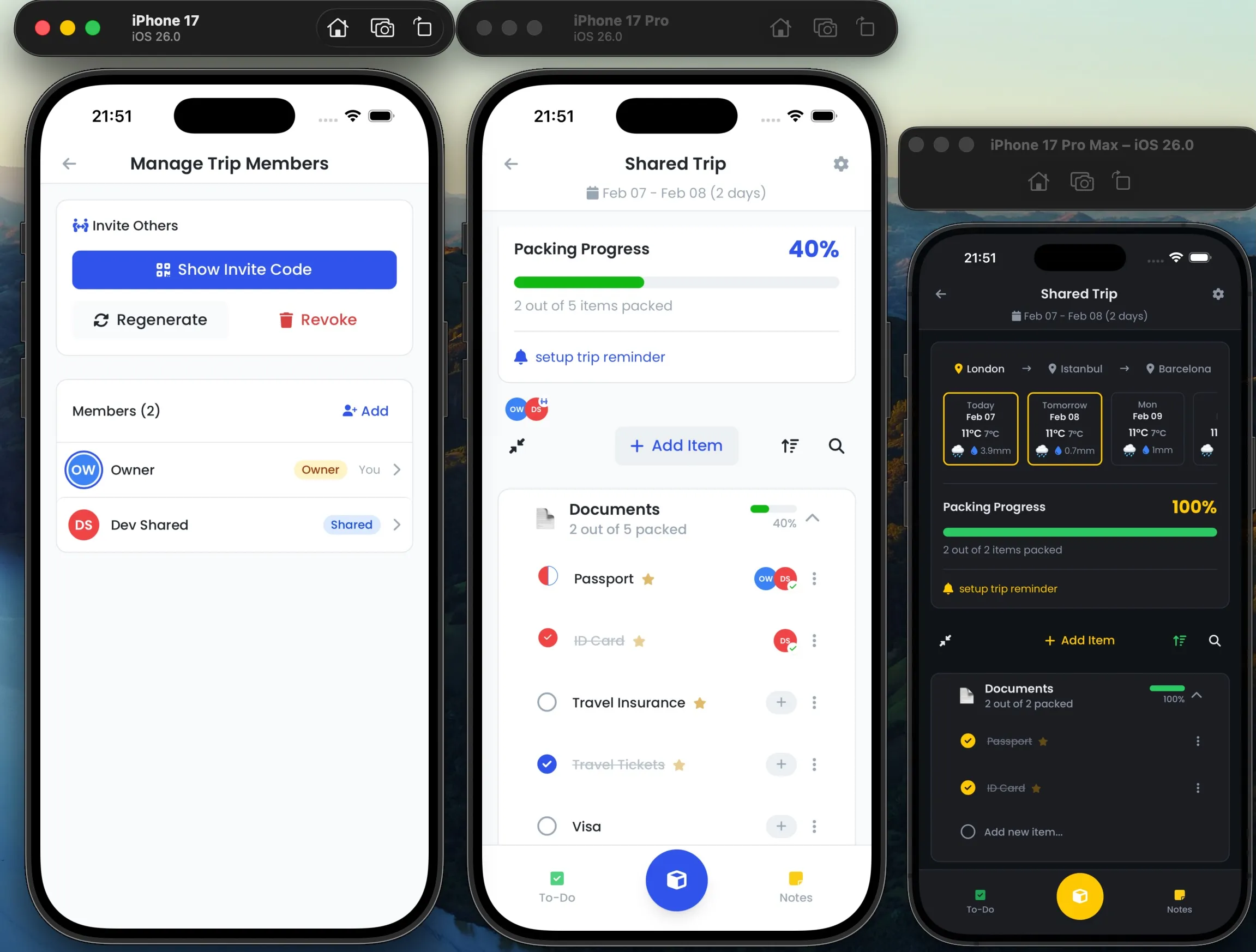
Every packing item or todo task in a shared trip can be assigned to a specific member. This means you can split responsibilities clearly: one person handles electronics, another takes care of toiletries, and someone else is in charge of snacks.
Assigned items show up under each member's name, making it easy to see at a glance who still needs to pack what. As members check off their items, the progress updates for everyone on the trip.
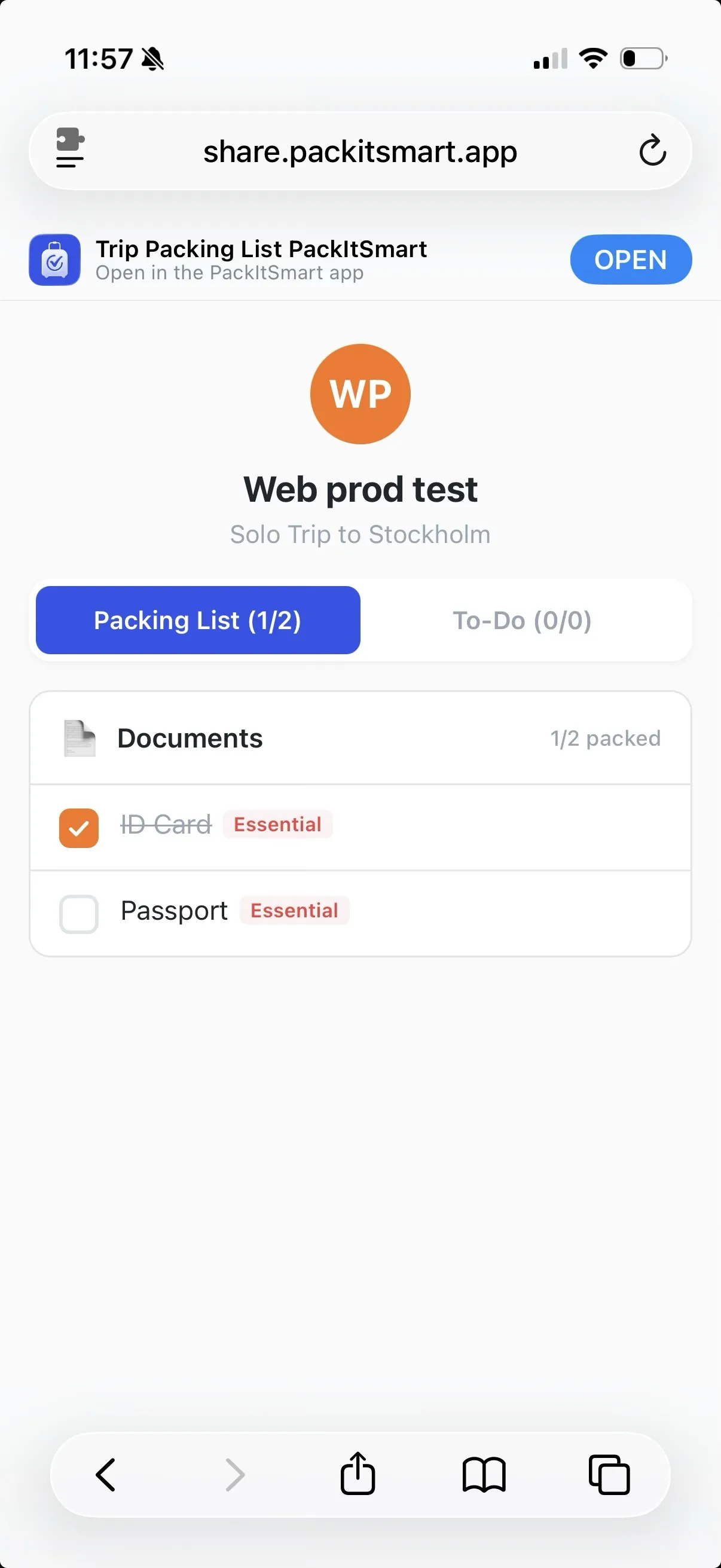
The web member option is especially handy when not everyone in your group wants to install an app. After you add someone as a web member, PackItSmart generates a shareable link. The person opens it in their browser and sees their assigned packing items on a clean, simple page.
They can check items off as they pack, and those updates sync back to the trip owner. It works on any device with a browser — phone, tablet, or computer.
Here are a few ways people use shared trips:
Shared trips are available in PackItSmart for iOS. Create a trip, add your travel companions, assign items, and start packing together. It doesn't matter if your group uses the app, a browser, or neither — everyone sees what's going on.
Download PackItSmart and start collaborating on your next trip's packing list.